
A custom options scan is a saved, repeatable filter that surfaces option contracts matching your exact conditions so you can act faster. A working scan needs three parts: a universe of tickers to search, filters like implied volatility or open interest, and alerts that tell you when a match appears. Scans find candidates, not certainty, so risk controls still decide whether you trade what they show you.
TL;DR:
- Most scans should focus on liquidity filters, implied volatility rank, and unusual option volume before considering price sensitivity or expiration factors.
- Building repeatable scans involves selecting a specific universe, layering filters, and sorting results based on key metrics like volatility or volume ratios.
- Validating scans requires backtesting and paper trading for at least 20 to 30 signals, while monitoring for data issues such as stale quotes or inflated volumes.
- Risk management is essential, especially for short-dated options or those with low open interest, wide spreads, or liquidity problems that filters alone cannot detect.
- Using an AI-powered briefing service streamlines the process by providing ranked, ready-to-trade ideas with entry levels, reducing the need for ongoing manual scan maintenance.
Table of Contents
- Key scan criteria and what each signal actually means
- Build a repeatable scan step by step
- Platform features that make custom scans actually work
- Testing and validating a scan before you trust it
- Risk checklist for scanner-driven trades
- How MorningOptions turns scan hits into ranked trade ideas
- Building your own scans versus trusting a vetted service
- Let a briefing do the scanning for you
- Primary sources and regulator guidance to consult
- Sources
- FAQ
Key scan criteria and what each signal actually means
Every filter you add to a scan should answer a specific question about the trade, not just fill a column. Implied volatility (IV) and IV rank or percentile tell you whether an option is priced expensive or cheap relative to its own history, which matters more than the raw IV number alone. Option volume compared against a stock's average volume flags unusual activity, often the earliest sign that other traders are positioning ahead of a catalyst.
Open interest and put/call ratios work as a liquidity and flow check: high open interest at a strike suggests real positioning, while a skewed put/call ratio hints at directional sentiment. Delta and days to expiration (DTE) shape how a position behaves: higher delta options move more like the stock, and shorter DTE means faster time decay and sharper sensitivity to small price moves.
Starter thresholds work best as templates you adjust, not fixed rules:
- IV rank above 70 for premium-selling setups, below 30 for premium-buying setups.
- Option volume significantly above its recent average to flag unusual activity.
- Open interest at the strike indicating sufficient liquidity.
- Delta in a moderate range suitable for balanced directional trades.
Broker platforms typically expose these exact fields when building a custom scanner, so the terms above map directly to what you will see in most tools.
Build a repeatable scan step by step
A scan you cannot rerun tomorrow is just a one-time search. Building it in a fixed order keeps it maintainable and easy to debug when results look off.
- Pick the universe first: a personal watchlist for focused tickers, a sector or index for breadth, or a full exchange list for maximum coverage. A narrower universe runs faster and produces fewer false positives.
- Apply liquidity filters before anything else: minimum open interest and a maximum bid-ask spread eliminate contracts you could never fill anyway.
- Layer in IV and IV rank to separate expensive options from cheap ones relative to their own history.
- Add option volume and open interest thresholds to catch unusual flow.
- Finish with delta and DTE to match the setup's risk profile.
- Sort results by the field that matters most for the setup (IV rank for volatility plays, volume ratio for momentum plays) and add columns for spread width and days to expiration so you can eyeball tradability without opening each chain.
Three templates cover most active setups. A high-IV breakout scan: relatively high IV rank compared to history, notably increased option volume, delta in a moderate-to-high range, and moderate days to expiration. An unusual option volume scan: very high option volume compared to recent averages, open interest indicating reasonable liquidity, any delta, and days to expiration less than about a month. A short-DTE gamma scan: very short days to expiration, moderate to high delta, narrow bid-ask spread, and high open interest reflecting active trading.
Save each scan as a named template, schedule it to run at the open and again at midday, and set alerts to push through email or your platform's app rather than requiring a manual check.
Pro Tip: Run every new scan filter on a delay of a day or two before trading off it live, so you can see whether the hits repeat or were a one-off fluke.
Platform features that make custom scans actually work
The platform matters as much as the filters. Computed fields like IV rank and historical volatility (HV) do the normalization work across symbols automatically, which is critical because raw IV means little without context on where it sits historically.
- Saved templates and a scheduler let you rerun the same scan daily without rebuilding it.
- Alert integrations through email, app push, or webhook and API access turn a passive scan into an active one.
- Display extras like IV graphs, volume bars, and put/call overlays help you judge a hit visually instead of reading raw numbers.
- Data latency and exchange coverage decide whether an intraday scan is actually intraday: delayed quotes make short-DTE scanning unreliable.
- Export and API access let you pull scan history for backtesting rather than trusting memory.
Platforms like TWS build these fields directly into their custom scanner tools, and broker help centers such as thinkorswim's option trader guides walk through adding them step by step.
Testing and validating a scan before you trust it
A scan that looks good on a spreadsheet still needs proof it finds tradable setups rather than noise. Backtesting shows how a filter combination performed historically, but options microstructure and execution slippage limit how much you can trust it alone: forward testing and paper trading are the necessary complement.
Run a paper trading protocol for at least 20 to 30 signals before committing real capital. Record win rate, average gain versus average loss, and maximum drawdown across the sample so you have a baseline to compare against.
Watch for data problems that quietly break a scan:
- Lagging quotes that make IV or volume figures stale by the time you see them.
- Wash trading or quote stuffing that inflates apparent volume without real interest behind it.
- Sudden open interest jumps that reflect a data reporting error rather than new positioning.
One in five day traders using retail-favorite platforms trade options tied to same-day expirations, a pattern FINRA has flagged as carrying outsized risk given how fast short-dated contracts move.
Change one filter at a time and keep a written log of what changed and what happened next, so improvements are traceable instead of guessed at. Tie every scan result to a fixed execution rule: a position size cap and a stop-loss logic decided before the trade, not after.

Risk checklist for scanner-driven trades
A scan that surfaces a great-looking setup does not remove the risk sitting inside the contract itself. Same-day expiration (0DTE) options amplify both gains and losses in a short window, and FINRA's guidance on 0DTE trading notes that a trader can lose the entire premium and that broker firms may liquidate positions before market close under certain conditions.
Physically settled equity options carry assignment and margin risk that a scan's filter list will never show you. The OCC's Options Disclosure Document is the authoritative reference on how assignment and settlement actually work before you trade.
- Confirm your broker's specific pre-close liquidation policy for short-dated positions rather than assuming a standard rule applies.
- Set a maximum position size as a percentage of the account, not a fixed dollar amount that ignores account swings.
- Require a minimum open interest and a maximum spread width as a standing filter, not an afterthought.
- Discard any scanned signal with thin liquidity, a wide bid-ask spread, or option flow that contradicts the stock's price action.
How MorningOptions turns scan hits into ranked trade ideas
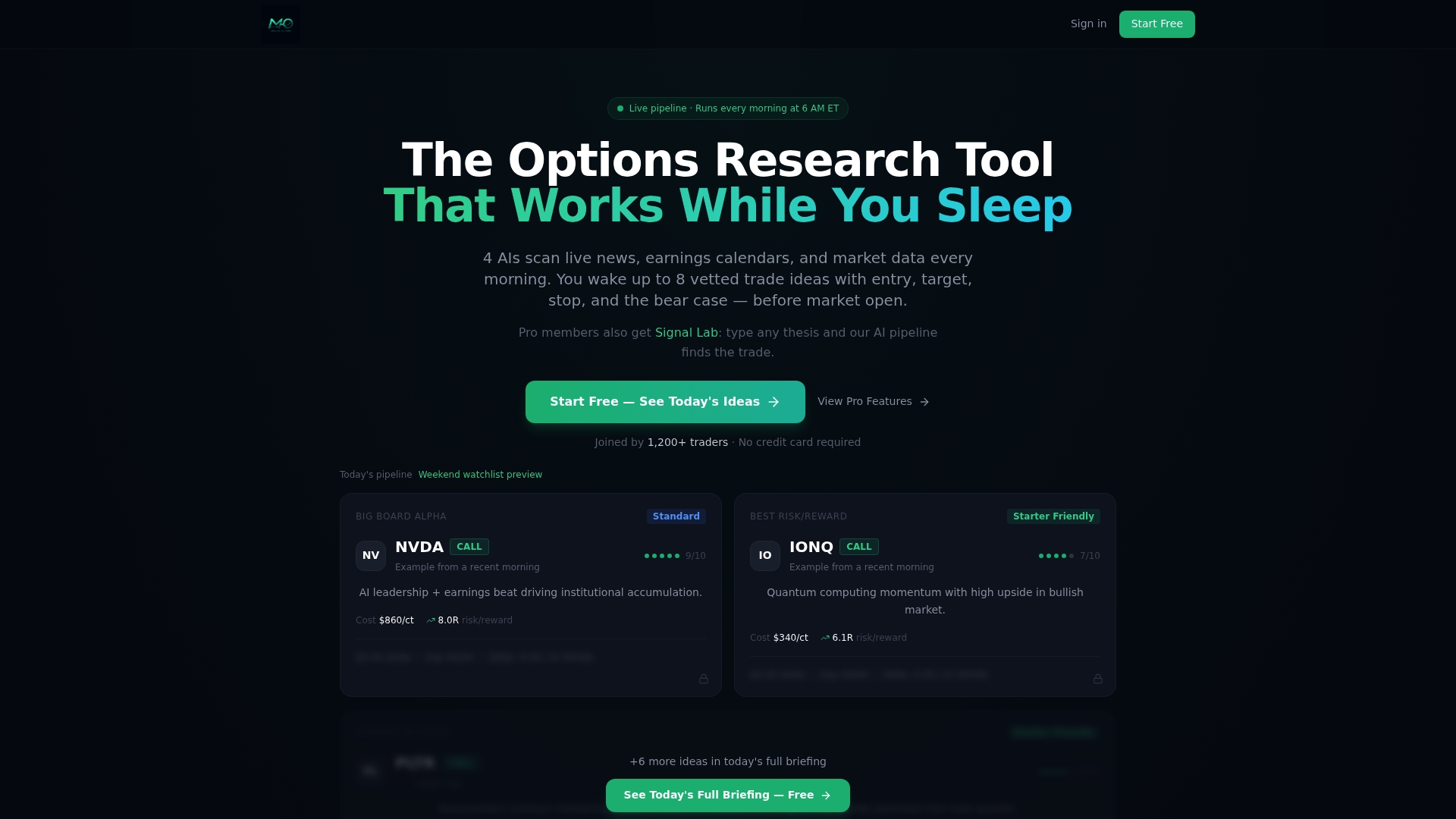
Scanned candidates are run through a multi-stage AI pipeline that vets, scores, and ranks each idea before publishing a daily briefing with specific entry levels and bear case analysis, delivered every market morning before the open. Its Signal Lab and AI chat scanner let a trader research a specific ticker on demand rather than building a scan from scratch. A typical path: your own scan flags a ticker, then a MorningOptions briefing or Signal Lab check confirms whether the setup holds up with fresh catalyst data. The free plan covers daily briefings, while a paid tier unlocks the lunchtime scanner and expanded chat scanner access.
Building your own scans versus trusting a vetted service
Building your own scans gives full control over thresholds and universe but demands ongoing maintenance as market conditions shift. A vetted briefing service trades some of that customization for speed and a second set of eyes on the vetting. For a time-constrained professional, running a lean personal scan for a favorite setup while leaning on a service for the daily scan of everything else tends to cover more ground than either approach alone.
— Customer
Let a briefing do the scanning for you
Building and maintaining your own scans takes real time each week, time most active traders would rather spend on execution. The scanning work is done daily and delivers ranked, specific contract ideas with entry levels before the market opens, so you start the day with candidates already filtered instead of a blank scanner.
| Plan | Price | What it unlocks |
|---|---|---|
| Free | $0/month | Daily briefing with limited trade ideas |
| Pro | $89/month | Lunchtime scanner, AI chat scanner, full briefings |
| Pro (annual) | $742/year | Same Pro features on an annual billing cycle |
Start with the free daily briefing, and upgrade to Pro if the lunchtime scanner and on-demand chat scanner fit how you trade. Sign up at Morningoptions.
Primary sources and regulator guidance to consult
For risk specific to same-day expirations, read FINRA's guidance on 0DTE trading. For assignment and settlement mechanics, consult the OCC's Options Disclosure Document. For building the scans themselves, Interactive Brokers' option market scanner lesson and your broker's own user guides cover the UI-specific steps.
This article is general information, not a substitute for advice from a qualified financial advisor. Consult a qualified financial professional about your own circumstances before acting on anything here.
Sources
- Zeroing In on an Options Trading Strategy: 0DTE | FINRA
- OCC - Characteristics and Risks of Standardized Options (ODD)
- Option Market Scanners | Trading Lesson | Traders' Academy
FAQ
What is the best screener for options trading?
There is no single best screener since the right one depends on which fields, alert types, and universe size you need. Broker platforms like TWS offer built-in custom scanner tools with computed fields such as IV rank, while services like MorningOptions deliver pre-vetted daily ideas for traders who prefer not to build scans themselves.
How can I scan for option trades?
Pick a universe of tickers, apply liquidity filters first, then layer in IV rank, option volume, open interest, and delta or DTE thresholds matched to your setup. Save the scan as a template and set alerts so it runs automatically rather than requiring a manual check each session.
Is there a free option screener available?
Most major brokers, including platforms built on TWS, include free custom scanner tools as part of their standard trading platform. A free daily briefing with limited trade ideas is available alongside a paid tier.
How much does Option Samurai cost?
Pricing for third-party screening tools like Option Samurai is not covered here since it falls outside this article's scope. For MorningOptions specifically, the Pro tier costs $89 per month or $742 per year, with a free plan available for limited daily briefings.